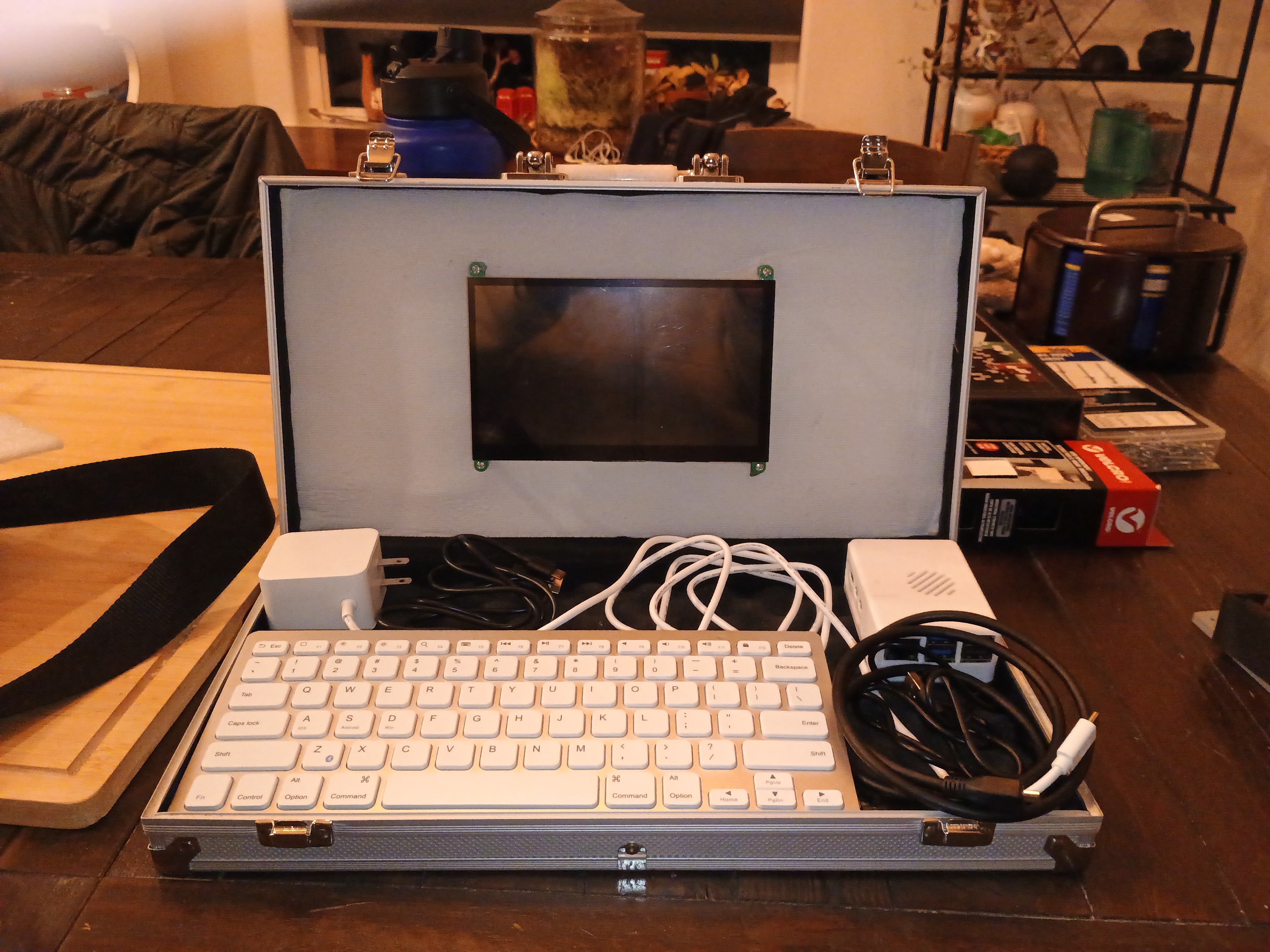
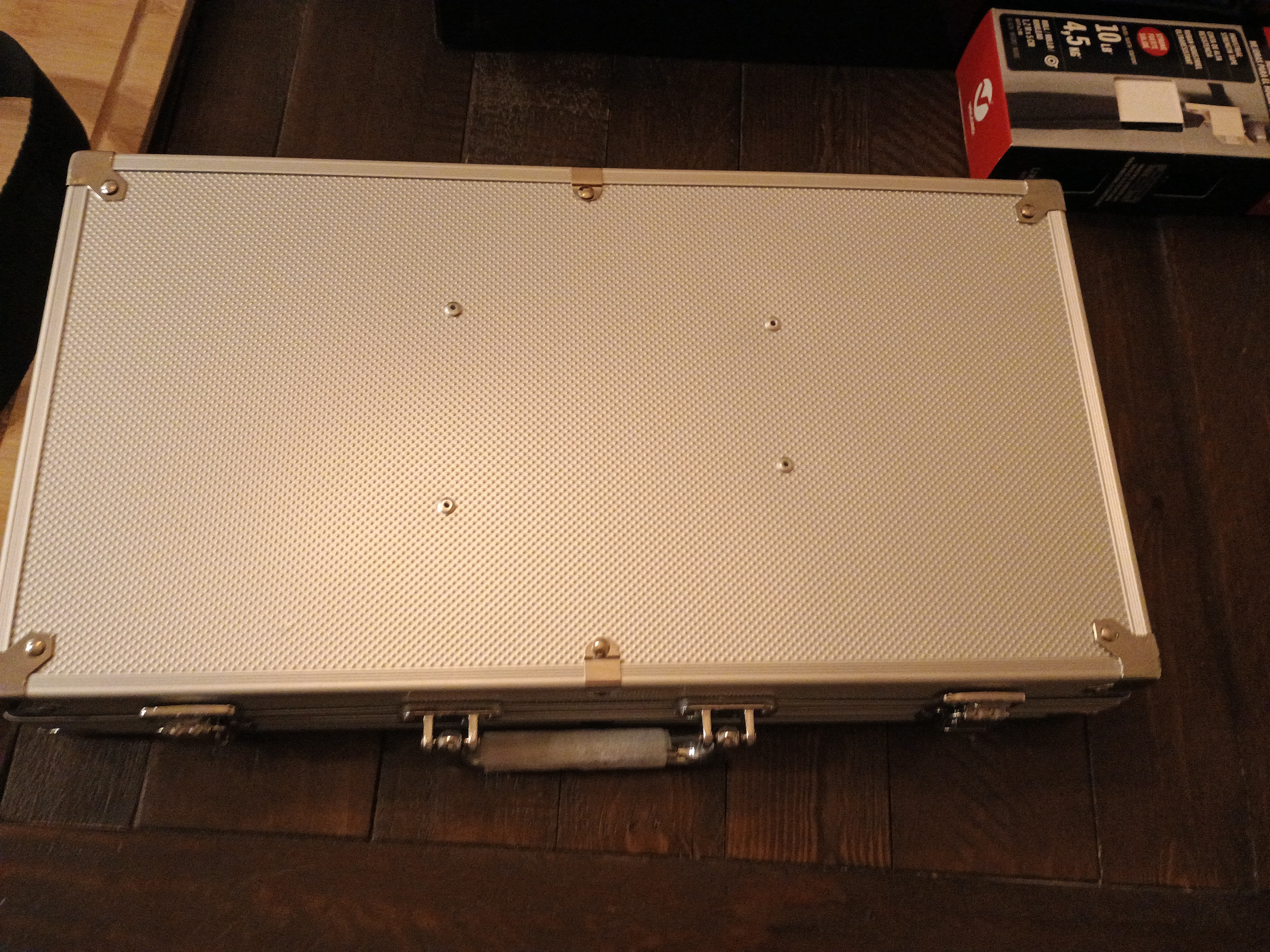
Still going to make a wooden box for it. They thought of using a poker set box thing for it, in the meantime. We will have more time to make the wooden box.
Don’t play poker myself, so didn’t even think of that myself. Only thing I thought of that might work, is some kind of Nintendo Switch case. But finding one in town, that is $30 or so less, and hard like the poker chip case, might be hard. Also, this thing is bigger probably as well.
He only wanted the chips, so we used the case for this. Needed to do it, so we know what to do with the wooden one.
The keyboard only has to be flipped over, when closing it. No tape or anything needed, for the stuff on the bottom. All fits in there perfectly. My battery doesn’t provide enough power, but that is an easy fix. And if using inside, I can plug it in as well.
The screen I used was a SunFounder 7 Inch Touchscreen for Pi 5, RPI 4,1024X600 IPS Display, USB HDMI Portable Mini Monitor, Upgraded 7in Touch Screen for RPI 4 Monitor with Stand and Dual Speakers.
The touch part works fine as far as I can tell. Came with a thing for the back, and can use it, without the Pi being attached to behind the screen. Benefits in keeping the Pi how it is. But benefits in doing the other way too. Even if the NVMe HAT, doesn’t fit with the back part, we could figure something out, if I don’t use the case for the wooden one.
Seeing this one, also helps, too, now we can see what we should do.
He used some rivets or something, to attach the plastic back thing to the case. Will do that with the wooden case too, most likely. He had the right rivets, didn’t need to buy much to use this.
The foam stuff I bought at Michaels. SOme stuff for the wooden one, can likely be bought there as well. Need hinges I think for that. The white thing by the screen is the foam stuff.
It had some kind of “foam” stuff in the bottom part, where the other stuff is. He removed the one it came with from the top. Will likely use more foam with the wooden one too. The wooden box, will require sanding, so will take some time.
The PSU for the Pi, is 45W. But, the voltage the PSU does is different. And the screen uses power as well, and it needs two USB ports. One for touch, and one for power. And HDMI for display. HDMI is nice, as I can hook other stuff up to it, if I want to. But they make small touch screen, that attach with a HAT too.
When I use it soon, I will test the speakers as well. The screen part works. That’s another reason I got this one, no seperate speakers, in case I want speakers.
Well, the PSU might be overkill for the Pi 5 itself. But, the screen likely uses power too. That battery is only 15W. Which isn’t enogh, but the voltage and amp might be enough. Might need at least 27W.
Was probably a CanaKit kit. Or maybe the Pi 5 needs 5 amps, which that battery isn’t.
Easy way to figure it out, without searching, use the power supply thing I have that says voltage and stuff.
Or go to the Raspberry Pi site, and it says 5V/5A, the official one is 27w.
Hmm, could put the Nintendo 64 in a box of some kind, and hook it up to a screen like that. I have a USB Type-C PSU for the 64. It uses under 20W, according to the bottom of Nintendo 64. Portable Nintendo 64. Don’t need touch screen part on it. Also, I think I hooked battery up wrong, might be able to plug it all into the screen. No problem, didn’t use the 3D printed case I bought, and might not. Kept it in case we use it.
The screen might only use 480mA. 30W might be enough then. Even 27W might be enough. Extra power can be helpful. The voltage is the same. And might not matter how anyone hooks it up.
Uses 5v as well. I have an Energizer USB battery. Looking on Best Buy’s site, to see if they have anything.
I knew the battery I have might not work. I can give it to somebody, since I probably won’t need it.
mophie - Powerstation 10,000mAh Power Bank (Gen 3) might work, does 30W.
Best Buy doesn’t seem to say the voltage, now to look at Staples. If they have one that could work, I can just go in there, and look at them. Best Buy is by it as well.
Wonder how many double A batteries, it takes to get 5v and 30W.
Got plenty of double A batteries.
Looks like a USB battery is going to be easier to find, going into a store. Pickups, I could do, but Best Buy might not actually have it. Might as well find it in a store, and then buy it. Or get the double A thing if that would even work.
Adafruit has stuff, but some stuff is out of stock. I’ll remember the other site that has that kind of stuff soon. Searching now, but Harbor Freight might have something too. Wrong kind of batteries. Maybe Batteries+.
Sparkfun might be it. Basically, buy a battery, and that stuff to “make” one. Can replace the battery if I need to. I know somebody, that likely can help me make a box for it. Michaels has plastic. 3D printers are right for some people. But, I prefer doing things this way. Also, I like how wood looks. But not needed for a battery box. I know somebody with a 3D printer, but I don’t want to stress them out. And more fun to make my own. Then I’ll know how. And I can talk to the person helping me.
6Ah is only 6000mAh. It’s under $50 on Sparkfun. Not the worst price. Would want at least two. Adafruit is cheaper, but I like buying from one place.
A RC car battery might work. Get a downbooster, and two batteries. Hobby Town is gone, but plenty of places online, besides Sparkfun.
Maybe not an RC car battery. Might cost more. But there’s a different hobby store. Might just go there when I can. If it’s open, there’s somebody to ask for help as well. Hmm does Batteries+ sell other things, like the converters or a downbooster?
USB battery or make my own? What is better, depends on the person. But I have a 300w power station. The wood is weighs more then this poker set case. And it would add some weight. But, I wouldn’t have to pay much. And I don’t have to put it in anything, plug AC adapter right into it.
Well, I can figure it out soon. Got to sleep soon. Better to talk to somebody about it, then just buy random stuff.