Newest iOS full of bugs

Phone was stuck in SOS after I got my phone back after 16 days in hospital. Well, a cellphone isn’t very useful without the cell service working. Had to toggle airplane mode to fix it.

Probably the iPhone or iOS, not the cell service.

Android isn’t great either. So looks like I’ll just have to toggle airplane mode randomly.

Want to fix it? You have to buy a new iPhone. New iPhones I assume have less iOS bugs, cause the old iPhones don’t support cell service.

Also, the built in Mail app sucks ass, if you use Gmail. So apparently to use my email, I have to use some other app. Don’t want the Gmail app. Spark worked before. So I guess Spark or something else.

Cool, XPPen drawing tablet, has a Linux driver, and app. Just installed it. Got to wait for the drawing tablet now. Wacom is too expensive. Best Buy guy said, basically only need more drawing surface. Well, XPPen is cheaper. And it was on sale, now it costs $260, I paid $190. has a screen I think too.

Some buttons might not work in Linux. But cheaper then Wacom. Do I have Krita installed? Nope.

Third party watches still suck on iOS, at least this Nothing one. Disconnects, and have to open the damn app to reconnect it. Probably because of iOS’s famous memory management. Still connected via Bluetooth. Have an Apple Watch, but won’t use it. The charger cable had a burn mark on it, no thanks. Recycling that Apple Watch.

Need to look for small USB keyboard for my Pi laptop. And some kind of sleep tracker. I think Anker makes some earbuds that do that. Music if I want it, as well. Or get a sleep tracker band.

Daniel Hall is a good singer, listened to in Funny Farm in group. Live music, well now I know I like it, or liked it. Maybe don’t like it anymore though. We Are Scientists is good too.

Not sure VLC is a good music player. Not sure how to rescan folder. Well, maybe just use mpd or whatever. Then the TV doesn’t need to be turned on.

USB keyboard, 2.4 GHz would work too. But needs to be small. And maybe have a touchpad too. Cause using the touch screen can be a pain, and to configure it, might be easier if I have a touchpad too. Works pretty good in KDE, but I need to change the resolution and/or driver. Was going to try going into a boot menu, good luck with Bluetooth.

Looking at Logitech’s site, cause can’t think of any other keyboard maker.

Logitech has one wireless keyboard, that uses a dongle, with a touchpad, but how big is it? Full size, might be too big. And I have a full size Logitech, and it’s probably too big.

Says the dimensions, how about full size or not? Don’t know dimensions of full size. So under specs, they should put full size or not. Must be full size, used the filter, and doesn’t show up. Well, Bluetooth + dongle they have too.

Logitech has nothing. Some of the ones for Pi are way too small.

Maybe there’s a standalone touchpad. That can be Bluetooth.

Damn, USB trackpads no longer stocked on Adafruit.

Does Bluetooth work when booting Pi? Most likely doesn’t. Would need to pair it somehow.

Watch worked fine on old firmware, and using GadgetBridge in Android. But under $200 Android phones aren’t worth using, and my iPhone is better.

There’s an iOS update. But it doesn’t say what bugs were fixed, or added. Well, I’ll have to wait a while to update it then.

Nice gift from computer

Super slow when I got back after 16 days. And after logging in, all USB stuff reconnected.

Either USB hub, or a USB device, or the computer. Paid $40 at Staples for a USB 3.0 powered hub.

One drive may have an issue, WesternDick owns SanDick. I think it’s SanDick, it’s a GDrive. But WesternDick basically.

No real point in going to Best Buy, except to find out more about drawing tablets. And then order a non Wacom, on Amazon for a better price.

And a better gift, was the cat coming out right after my mom left. Well, I kind of have to ignore her a little. Like when she meows loudly. Wants more attention then my mom’s dogs wanted. She’s been in survival mode for 16 days. And apparently bonded to me more then I thought.

Well, might need to shit finally today. Then sleep.

COVID Test

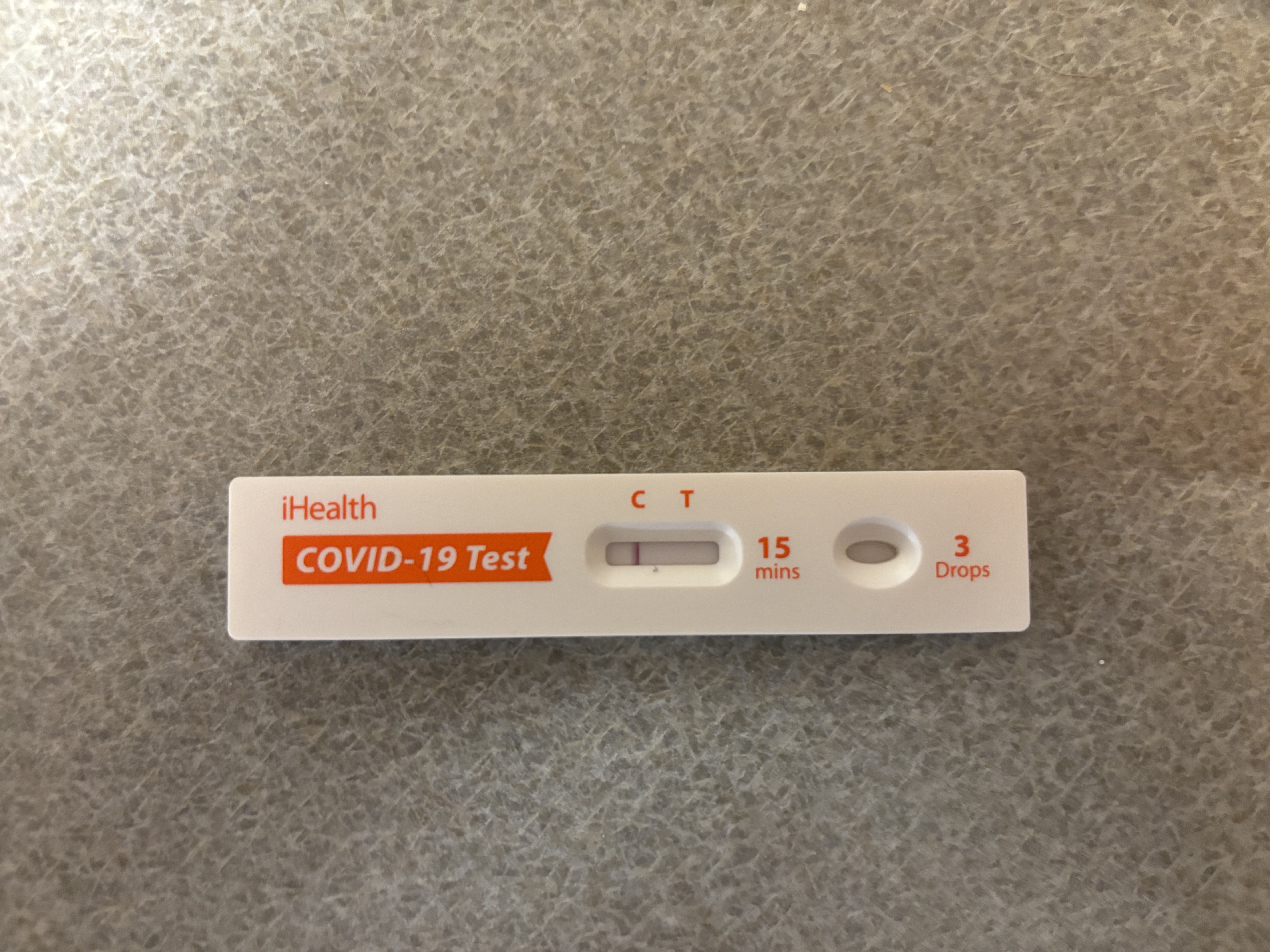
Woke up early, taking a COVID test. Three people sick, including me. Possibly one dog sick as well. First thing, at home COVID test.

Negative, so I’ll be okay, and so will my mom, dad, and puppy, and cat.

Drink some more water, and then going back to sleep.

Temporary Raspberry Pi 5 Laptop

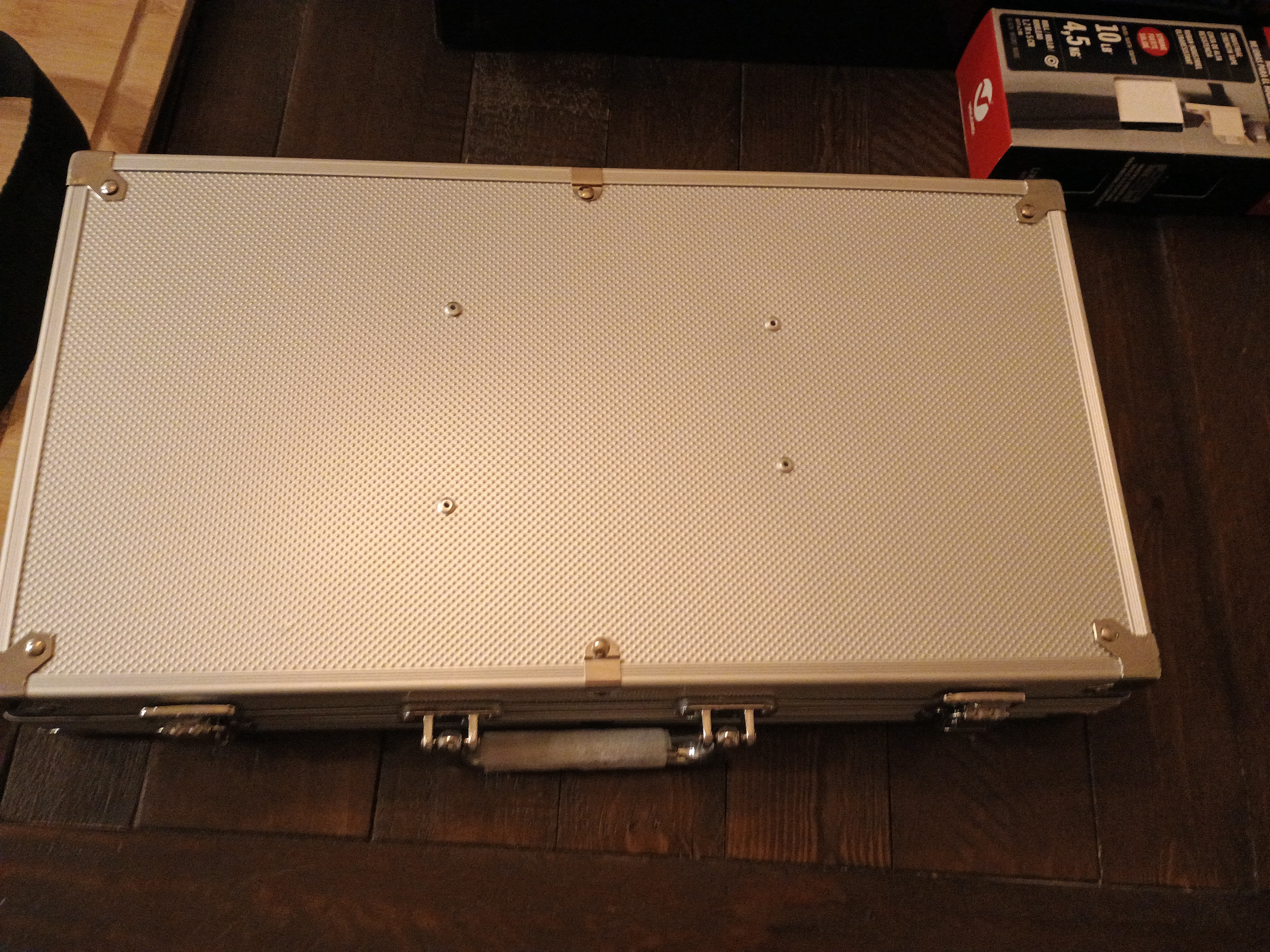
Still going to make a wooden box for it. They thought of using a poker set box thing for it, in the meantime. We will have more time to make the wooden box.

Don’t play poker myself, so didn’t even think of that myself. Only thing I thought of that might work, is some kind of Nintendo Switch case. But finding one in town, that is $30 or so less, and hard like the poker chip case, might be hard. Also, this thing is bigger probably as well.

He only wanted the chips, so we used the case for this. Needed to do it, so we know what to do with the wooden one.

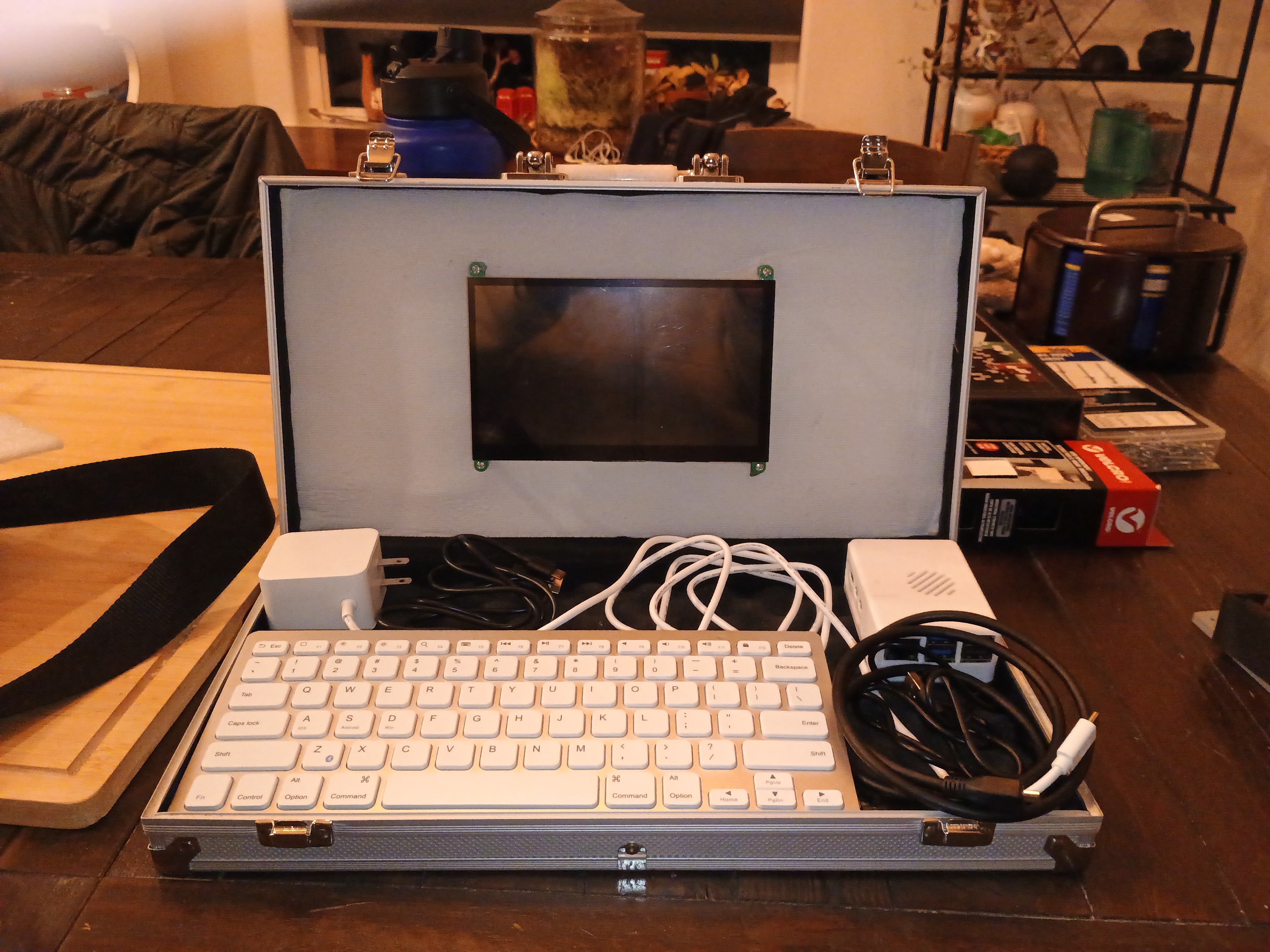
The keyboard only has to be flipped over, when closing it. No tape or anything needed, for the stuff on the bottom. All fits in there perfectly. My battery doesn’t provide enough power, but that is an easy fix. And if using inside, I can plug it in as well.

The screen I used was a SunFounder 7 Inch Touchscreen for Pi 5, RPI 4,1024X600 IPS Display, USB HDMI Portable Mini Monitor, Upgraded 7in Touch Screen for RPI 4 Monitor with Stand and Dual Speakers.

The touch part works fine as far as I can tell. Came with a thing for the back, and can use it, without the Pi being attached to behind the screen. Benefits in keeping the Pi how it is. But benefits in doing the other way too. Even if the NVMe HAT, doesn’t fit with the back part, we could figure something out, if I don’t use the case for the wooden one.

Seeing this one, also helps, too, now we can see what we should do.

He used some rivets or something, to attach the plastic back thing to the case. Will do that with the wooden case too, most likely. He had the right rivets, didn’t need to buy much to use this.

The foam stuff I bought at Michaels. SOme stuff for the wooden one, can likely be bought there as well. Need hinges I think for that. The white thing by the screen is the foam stuff.

It had some kind of “foam” stuff in the bottom part, where the other stuff is. He removed the one it came with from the top. Will likely use more foam with the wooden one too. The wooden box, will require sanding, so will take some time.

The PSU for the Pi, is 45W. But, the voltage the PSU does is different. And the screen uses power as well, and it needs two USB ports. One for touch, and one for power. And HDMI for display. HDMI is nice, as I can hook other stuff up to it, if I want to. But they make small touch screen, that attach with a HAT too.

When I use it soon, I will test the speakers as well. The screen part works. That’s another reason I got this one, no seperate speakers, in case I want speakers.

Well, the PSU might be overkill for the Pi 5 itself. But, the screen likely uses power too. That battery is only 15W. Which isn’t enogh, but the voltage and amp might be enough. Might need at least 27W.

Was probably a CanaKit kit. Or maybe the Pi 5 needs 5 amps, which that battery isn’t.

Easy way to figure it out, without searching, use the power supply thing I have that says voltage and stuff.

Or go to the Raspberry Pi site, and it says 5V/5A, the official one is 27w.

Hmm, could put the Nintendo 64 in a box of some kind, and hook it up to a screen like that. I have a USB Type-C PSU for the 64. It uses under 20W, according to the bottom of Nintendo 64. Portable Nintendo 64. Don’t need touch screen part on it. Also, I think I hooked battery up wrong, might be able to plug it all into the screen. No problem, didn’t use the 3D printed case I bought, and might not. Kept it in case we use it.

The screen might only use 480mA. 30W might be enough then. Even 27W might be enough. Extra power can be helpful. The voltage is the same. And might not matter how anyone hooks it up.

Uses 5v as well. I have an Energizer USB battery. Looking on Best Buy’s site, to see if they have anything.

I knew the battery I have might not work. I can give it to somebody, since I probably won’t need it.

mophie - Powerstation 10,000mAh Power Bank (Gen 3) might work, does 30W.

Best Buy doesn’t seem to say the voltage, now to look at Staples. If they have one that could work, I can just go in there, and look at them. Best Buy is by it as well.

Wonder how many double A batteries, it takes to get 5v and 30W.

Got plenty of double A batteries.

Looks like a USB battery is going to be easier to find, going into a store. Pickups, I could do, but Best Buy might not actually have it. Might as well find it in a store, and then buy it. Or get the double A thing if that would even work.

Adafruit has stuff, but some stuff is out of stock. I’ll remember the other site that has that kind of stuff soon. Searching now, but Harbor Freight might have something too. Wrong kind of batteries. Maybe Batteries+.

Sparkfun might be it. Basically, buy a battery, and that stuff to “make” one. Can replace the battery if I need to. I know somebody, that likely can help me make a box for it. Michaels has plastic. 3D printers are right for some people. But, I prefer doing things this way. Also, I like how wood looks. But not needed for a battery box. I know somebody with a 3D printer, but I don’t want to stress them out. And more fun to make my own. Then I’ll know how. And I can talk to the person helping me.

6Ah is only 6000mAh. It’s under $50 on Sparkfun. Not the worst price. Would want at least two. Adafruit is cheaper, but I like buying from one place.

A RC car battery might work. Get a downbooster, and two batteries. Hobby Town is gone, but plenty of places online, besides Sparkfun.

Maybe not an RC car battery. Might cost more. But there’s a different hobby store. Might just go there when I can. If it’s open, there’s somebody to ask for help as well. Hmm does Batteries+ sell other things, like the converters or a downbooster?

USB battery or make my own? What is better, depends on the person. But I have a 300w power station. The wood is weighs more then this poker set case. And it would add some weight. But, I wouldn’t have to pay much. And I don’t have to put it in anything, plug AC adapter right into it.

Well, I can figure it out soon. Got to sleep soon. Better to talk to somebody about it, then just buy random stuff.

Library

Got a library card, my old one expired long ago.

Now I can stream stuff for free.

But can I pay to watch more? Probably not.

Just need to find stuff on time. Did anyone prove we invented it yet? Other then somebody who has a near death experience and said God said we invented time.

It might exist, but we still could have invented it.

Well, if I search for time, I get results, but I’m too lazy to click each one. Too lazy to read anything on the streaming video site anyways. Also, too hard to read much anyways.

I’m gonna need some new eyes, that are wide open.

Maybe Greek Mythology is easier to find. Also, wondering if anyone can imagine something 100% out of thin air. If not, then I really wonder about Greek Mythology.

Well, I have enough personal experiences, to know time may have been invented, and makes no sense. And it would be funny, if a bunch of words had to be removed.

Also, why don’t we speak certain languages anymore? And was there a religion before the first known one we found?

Well, this Android phone sucks ass. I’ll go back to other phone eventually maybe. Might want a different service though. And one that doesn’t need an app to get an eSIM, cause I’m not putting any apps on it. I don’t really want a phone anymore, but good luck doing that.

Shouldn’t have to buy a Pixel phone either. Not a fan of giving Google money.

The Light Phones, might use Android, well, in that case, it’s way overpriced. And the $300 one, is now shipping in May. Was April before. What will it be in May? Well, I probably won’t look again. And the more expensive one, could get in March, but won’t pay that, for an Android phone. Or an iPhone.

Want an eINK display. But they might all basically be Android. But eINK has good battery life. And nice and slow like me.

Hmm, maybe I have brain damage, wouldn’t surprise me one bit. How do I get a new brain?

I came shooting out of my mom after all, and I hit my head on the ceiling too.

Or maybe I came out of the sun’s asshole, and hit my head on a tree.

Sunshine + Moonlight better then Kodi

Well, if watching Philo, it makes more sense to use a web browser, on the Atari VCS.

Well, I was trying to stream a web browser from my desktop. And had an audio issue. Then I tried streaming Mythtv. And then I remembered I reset the cache settings. And at some point, I thought I probably never even fixed Mythtv completely, because if I stream from it long enough, then it has an issue.

Well, Kodi is way too much work then. Also, using a web browser, could mean the audio will be in sync more likely, without doing anything. But I could only tell if something was in sync long ago. I had shitty soundbars for too long, I stopped paying attention. Might notice if the lips are completely out of sync, but it’ll have to be pretty damn obvious.

Tried using a web browser VNC thing, could have worked, but it crapped out in two different browsers. Thought a different VNC thing would work, well could, if I wanted to fuck with settings. Then wasted time trying to connect to KDE’s RDP, basically said connection error. Well searching the internet isn’t very helpful. Somebody might have said something about Sunshine.

Was worth trying, as it works fine in Debian.

Oddly, if I stream from openSUSE Tumbleweed to the Steam Deck with Sunshine, it has issues. Well, I can use Moonlight without fucking with Kodi now on the Atari VCS, so I can see if it too has an issue. Maybe it’s cause the Steam Deck is plugged into a USB dock thing using the Ethernet on it, WiFi could be worse though. Well, might not need the Steam Deck anyways now.

Probably won’t buy any games on Steam anyways. I do kind of like the Steam Deck though, so I might just hoard it for no reason.

I might just need to reset the settings I changed in Sunshine in openSUSE Tumbleweed as well if it has whatever issue it had. Also, it’s probably a pre release version in openSUSE Tumbleweed. Well, I think it says that on the web interface.

It’s compiled though, and last time I tried a compiled already version it wouldn’t work at all, in openSUSE Tumbleweed. Using rolling release distros people say is better for games, but not sure that applies to me at all anymore. How old is this computer? Debian might be just fine on it.

The deb package for Sunshine, didn’t seem to have the .service file, or the udev rules. I searched the drive after installing it, maybe not everywhere, couldn’t find either. So I copied it from my desktop running openSUSE Tumbleweed, and it works.

Didn’t check the deb archive. The next step said to start the service. Well, didn’t work. So got that, then it still didn’t work, no UDEV rules. So they either have broken instructions, or a broken deb package or maybe both.

Well, speaking of broken, some people break their dicks. I never had to go to the vet myself for that though.

Did I already say, that Kodi might play videos from a network share, including Samba, might have only tried Samba, without issues? Well, I guess network shares aren’t exactly the same as streaming. So maybe it can’t do anything live very good without fucking with it.

Too lazy to install LibreElec just to use Kodi. Also I did that, and had issues anyways. Somebody said you don’t need LibreElec, well I likely had issues. And also forgot I tried that until now. Might have tried the one for newer shit and old shit, and had some kind of issue with both, or didn’t actually fix an issue I was having with something else.

And if you want the newest version of Kodi in Debian you have to use the Flatpak, or compile yourself, or look on the internet and find a compiled one that isn’t a Flatpak.

How long does anyone want to spend trying to fix something on the computer? Well, I clearly spent way too long fucking with Kodi. Should have just thought of trying Sunshine to begin with, and never bothered with Kodi. I can remote control it, and my Bluetooth universal remote can pause and unpause a playing video. And someday, I’ll have a wooden box for my Raspberry Pi 5, and it’ll be like a laptop, with a real keyboard. Better then any “smart” phone. I could make calls with it if I wanted to. But opening that thing to make and receive calls/texts, would be a pain. And using Bluetooth headphones or something with a microphone, not that great either.

Should be able to power it all with my USB battery. There’s probably some USB battery that can, so I didn’t test that. But I tested the screen, powered using USB from the Pi 5. So assuming this thing can provide enough power, and voltage, it should work. If not, I might be able to find one that can.

But I have something that should power it no problem, a 300 watt power station. It’s big though. But I got a backpack, not sure both the Pi and that power station will fit in it. I think he cut the wood today. It’ll be smaller then the briefcase I paid $5 for at a Thrift Store. Not really a lost, as it showed me, that I should have waited to buy anything, and if I did, I would have only spent $5, instead of $5 + $21. The $5 thing is worth what I paid. I basically bought trash for $21 for the other thing. Not worth sending back at all. Won’t pay a penny to ship it back, and too lazy to email them.

Can’t buy the exact right thing I want. Also, might as well make it look how I want. I like stuff made out of wood better then plastic. So another reason not to have a 3D printer, and never get one again. Also, I know somebody that knows how to make stuff out of wood. Doesn’t really seem like it’s more work then a 3D printer. How much stuff did I print? Seems like I mostly just fixed the damn thing, or did maintenance. Well, the belt broke, then I broke my wrist, then I got rid of it eventually. Don’t like removing it from the enclosure to fix it, and don’t want to bad enough. Also, still don’t know if the fumes are good or not for a cat, or me or anybody else. It’s plastic, so maybe not.

I was using Kodi not in KDE, and my Bluetooth remote, wasn’t waking it up. Well, Bluetooth was turned off. Works now though. And if Kodi works better in KDE, well too lazy/don’t care enough to use it. I can do everything without it, VLC and a web browser, should do pretty much everything I do. I can install something else if I need anything else. I can use that Retro thing without Kodi as well. Actually, probably easier to use that without it, forgot all about that till now as well.

Well, Sunshine might be annoying, if the computer ever sleeps. Cause I can access web interface, but Moonlight can’t connect. Do I have to “unpair” it? But then I might have to repair it. Guess I just have to restart it, there’s two ways, web interface, or terminal. Or make it restart itself, when you wake it up.

I’m guessing the problem is, if I turn the TV off, without quitting the session in Moonlight. Realized that when turning the TV off. The remote may be setup to send something to the Atari VCS too, when I shut it down. Well, terminating the session on the host, is that possible from a keyboard? Without using a mouse? That’s what I should send to it. Well, the Pi will be done eventually anyways. Maybe.

Might be random, cause it’s working fine.

How does using Moonlight to control something, to start Moonlight, and then stream steam back to the other device work? Well, the Steam Controller can probably control KDE anyways. And now I don’t need to use remote or get off ass, or make remote which acts like a keyboard work with Chromium.

Wide open mind

You know why some people like people with a wide open mind? They might be more fun in the bedroom.

I’ll keep my mind wide open, and not just about sex either.

Lunchbox.com not recommended

Not sure why it’s called Lunchbox.com. What I bought, can’t put anything in it. Flimsy as fuck.

Basically bought trash, for $21 or so after tax. Won’t pay a penny to ship it back.

Said something about art on it. I wouldn’t use it for art either, or anything.

I think I bought the Briefcase Attache Lunch Box from them.

And they might all be aluminum as well. Well, so damn thin, that it’s probably pretty close in thickness to a aluminum can, like a soda can.

Got something at Value Village for $5, and it’s way better. Might need some foam stuff. But still way less bendy then the shit from them. Not as good as the brief case somebody showed me. But one like that, if a thrift store had one, would likely cost more then $5.

If you have soda cans, better off using those for art. Already bought them.

Don’t see the point in a lunch box for even art, that is expensive, and flimsy. Think you just need a hammer if you have aluminum cans, then whack it into a flat piece. If a hammer won’t work, well the soda can, might be stronger then what I bought. If it damages it, or might, use something else then. Like a rubber hammer.

I wonder, if they sold condoms, if anyone would recommend their condoms. If they make them out of aluminum, probably not. Hopefully nobody would order it in that case, and if they did, not use it. But if they made them out of rubber, and they used it, well, it would probably be useless after they put it on. Well, I guess that’s why anyone that doesn’t want a baby, should use more then one protection.

But condoms, can also be used to prevent STDs. Well, then use two condoms. Maybe 10 condoms.

Hmm, they do have stuff on Micheal, called foam. That isn’t stuff that might sound like it’s in a can, and you spray it out. One says cushion foam. Some time last night, I thought foam, even though I knew what she was talking about, could sound like something in a can that you spray out.

Not sure I need $65 worth of that stuff though. A bunch of bubble wrap would be cheaper, but might also pop. But that stuff is rolled up like bubble wrap, the only reason I thought of bubble wrap.

Well, for protection, bubble wrap could work, better then if a condom rips.

Some people don’t like condoms though at all. If you only have one partner, well, you might not need to prevent any STDs, unless one of the people cheats. But is a threesome cheating? Is a 100+ some cheating?

Might need foam, to protect the nice screen from getting damaged that I bought for my Raspberry Pi 5. Since it’s going in the brief case thing from Value Village. Can do plenty more with a Pi, that can’t easily be done on a iPhone or Android phone. I have a laptop, but it has a eGPU connected to it, and likes rebooting itself, probably because of the AMDGPU driver. Also, it’s not really any better then the Pi anyways. Intel, AMD, ARM, they all suck. Google, Apple, Microsoft, and so on as well.

I’d have to 100% rely on myself, for any tech I want for it to be better. Well, I don’t know how to make my own hardware, so doesn’t look like that will be happening.

Also, don’t buy any “over sized” stuff from Micheal’s for a pickup. My mom did, and she had to wait a long time to get it. It’s not in a bag ready to be picked up, they have to hand it to you. Might as well, use the self checkout, and you might not wait as long. They were busy. And they likely don’t have as much money as Walmart, and therefore if it takes a long time to checkout at Walmart, well, that’s Walmart’s problem. If it is slow at Walmart, well, another good reason not to shop at Walmart.

I might need to shop more at Winco though. No self checkout shit that breaks. Well, you can use it, but they have more then one line to get in. A line to get in the self checkout at Safeway, and only one regular checkout with a line. And last time I went to Safeway, the machine broke apparently. Person acted like it was our fault as well. Well, I eventually didn’t say anything at all anymore, cause there was no point in speaking to them. The other person with me, pretty much did the exact same thing. Being rude, and working at a store, good way to get people to not go back.

And only one regular checkout, most likely about money. Guess it’s cheaper to have self checkout things that break themselves, and risk people not going back.

I have to bag myself at Winco, but I don’t have to do the scanning part. And if somebody’s with me, and it’s taking way too long for me to bag the stuff, they might help anyways. Or just bring bags, that aren’t stuck together.

Wonder why they don’t just make one robot to manage all those self checkout things instead. It might not be rude. Might make more people not go there though. Depending on who makes that robot, I won’t go anywhere that robot is myself. Cause if it can actually move by itself, it might just malfunction at some point. Don’t want to find out what that means.

But if they ever have robot doctors, that give prostate exams, that would likely hurt, and in the worst case, might not make it out alive.

Might need a subwoofer

Sounds like that old Vizio soundbar sounds fine that I had. If you turn the volume up, and it’s Dolby Atmos. Pretty sure if I turned that up and was often enough, I’d find out somebody doesn’t like it though. Also, if you don’t watch very many movies, what’s the point?

I doubt the shows I record with Channels DVR have Dolby Atmos. And I’d only want the volume turned up if watching a movie anyways.

Also, might not even have enough room to have it sound better. The speakers were farther apart as well.

I do know, I should have turned that CEC crap on when I had it, cause you can change some of the soundbar settings on the TV, at least if the soundbar is Vizio and the TV is Vizio. Don’t know what happens with a Vizio soundbar and non Vizio TV, or some other soundbar brand and same brand or any other combination.

I should listen to this new setup first though. But it sure sounded better then I remember ever hearing it sound. But a subwoofer might not do much anyways. Might need more speakers. But I might still need more bass.

Also, those loud ass shaking vehicles, are their subwoofers expensive? Cause if they aren’t cheap, well then I probably can’t afford a good subwoofer anyways. Those don’t sound good to me.

Wireless might be nice too, or a wireless adapter. But a wireless adapter might cost at least $100. Don’t bother with Best Buy for much of anything, their own brand, which is for speakers, but may work with a subwoofer as well, costs $150. Well, apparently Crutchfield has some stuff for cheaper then Best Buy. Thought everything on that site was too expensive for me.

Only way I’d spend $100 for an adapter though, is if the subwoofer is $70, so probably used, at a pawn shop. Also, that should be a really good subwoofer, and should be good in my opinion as well. And also, shouldn’t do any massive shaking, or anything that will bother anybody. Especially if it’s turned way down. And if turning it way down, means it does nothing, or the same as speakers, I don’t want it either.

Also, AI sure fixed searching the internet, now when trying to find about subwoofers, you’ll just find ads. All those links on that site, they get money if you click and/or pay. Then when I search for the model and see the price, glad I didn’t bother reading what they wrote either.

And if you put budget in the search, you’ll still get ads. Also, budget subwoofer, might mean something different to everybody, including the ad sites.

I wonder if a Bluetooth transmitter and receiver would work for a subwoofer. Don’t need much range. I do know, the thing I got for Walmart to send a cheap record player to my computer over Bluetooth works as well. Could look it up, but might just find ads, that say “Nope, you need to pay $1,000”.

Also, I don’t like Monoprice enough to spend very much if any money on their stuff.

Wireless, so I can put it behind chair, without the cable going all the way there, not far, but still might trip on it. Also, how many cables do I want going over the floor behind my chair? There’s already two flat ethernet cables. Do they make flat subwoofer cables?

That would likely be cheaper, or easier to do for cheap. Especially if I get a subwoofer at a pawn shop.

9 months ago, somebody mentioned “RSL 10e” on Reddit. Well, another brand to look at, they said it cost $300 then. And how much is that wireless adapter? I can’t click it, and I’m too lazy to read the entire page.

And also, why 10". Well, some people need 10 inches. Some people prefer 12 inches, and so on.

Well, that brand is too expensive for a small apartment. Their wireless adapter is $100. But I’ll maybe look up a flat cable eventually instead.

Well, you might get no complaints with that subwoofer. But why 10"?

And another opinion, don’t buy a subwoofer. Well, that’s cheaper anyways.

You can feel subwoofers too? Not sure I can feel any subwoofers though. Don’t think I want to feel a subwoofer though. Then I might be shaking.

Well, you might need to know a lot more anyways. Cause apparently cheap ass ones can shake shit too.

Hmm, if I got hemorrhoids, and that explains the blood, well, then I guess I may just not be able to feel much pain. There has been pain down there, but not enough to make me think hemorrhoids is the only thing. Also, what about the weird pain I’ve gotten in my stomach and also the weird feeling I have woke up with? Might be a full feeling sometimes, or every time. Hmm, so if I eat enough before bed, or that day, I’ll still be full when I wake up? Interesting either way. Especially if I sleep for at least 8 hours and that happens.

Another opinion, you can rattle people’s stuff below and above you. In that case, better off with no subwoofer.

Another opinion more headaches then it’s worth. Literal headache? Not sure my head hurts, may have earlier though.

Also, considering there was a paper on my door, and probably everyone’s door, about little speakers, going through the entire building, maybe a subwoofer is a bad idea.

But a 8" Dayton is on sale for $142. Also, it has a volume knob. And also the other things that person said. So if I can’t hear it and it does absolutely nothing or causes issues on a low volume, then give it to somebody, or you know maybe send it back.

But what do you set the gain and crossover to? The gain might be volume related, so maybe very low for that one.

Well, you need to lookup info on your receiver if you buy a subwoofer as well. First need to see if they make the right flat cable. Or actually, need to look at receiver specs first. Or manual.

Don’t ask me if that’s a good subwoofer either, or a good price or anything. Somebody’s opinion said something about it on Reddit.

Might be a RCA cable that subwoofers use. Searching for flat subwoofer cable, doesn’t find anything. Neither does flat rca or flat rca cable. Do flat RCA cables even work if they exist? Cause flat ethernet cables work. You might need to search for single if searching a search engine as well. Also, looks like mostly ads.

Might be called a coaxial cable as well, and Monoprice doesn’t appear to have a flat cable for subwoofers. Well, then maybe they don’t work. Or they cost $70+.

Under related items that has that subwoofer, they have a restocked, one for $83, I think the same one, but then you get a 404 error. So their site is broken anyways. Not a good sign.

Somebody mentioned a brand, and a link, but redirects to the home page. And found no subwoofers. Network music players, and they want $599 for the cheapest one. Not sure there’s any point in searching for a subwoofer on that site. Found the subwoofers, and that brand they mention starts at $399. Why not spend almost 2 grand then? How about 50 watts? Polk Audio makes one and is $160 on that site. Seems expensive for 50 watts. Also, what does watts even mean for a subwoofer? Does that mean it’ll be impossible for it to shake? Well, I need it cheaper anyways, cause it’s $160 for 50 watts.

Refurbished, 50 watts, and $160? Guess it’s up to 100 watts. But 50 watts is better, cause it might not shake anything. Maybe ten watts is even better. But it might also do nothing.

Doesn’t it need more power to shake something? Cause watts means power in electricity. And doesn’t the subwoofer need power?

And good luck finding that for sale very many other places. And that site might be all refurbished stuff, and in that case, it’s out of my price range.

According to the opinion site Reddit, you need a shielded cable, and you can’t put a shield around a flat cable. That means a wireless kit, which may cost at least $100, or just use a regular shielded cable. Can I get a refurbished wireless adapter? Also, the site that isn’t Amazon, that sells Dayton, they have a 404 error when I click a link to see the restocked subwoofer. Might be my browser though. Still annoying and not a good sign.

Also, on Reddit, you may be able to use a Bluetooth thing as well. Also, if you use a soundbar, that might not work. Nice, another reason to not have a soundbar. Just like all the issues with HDMI and it’s DRM. It’s a money pit. Reading books is cheaper. You don’t need electricity either.

Well, can’t buy anything yet anyways. Got to also ask somebody, maybe they know a good subwoofer. I know nothing about any brands of subwoofers. Or the specs, or much of anything. I do know how to smear shit all over my ass with toilet paper though.

The wireless Bluetooth possible thing they link to is $200.

Says that one is for interference, well the record player has no issues, with the interference here. Don’t know if a subwoofer would or wouldn’t though. Also how about just 6GHz? I don’t need range anyways. That does 5.8 GHz, not close enough to 6. Also, 6 GHz only.

Maybe one of the Bluetooth low latency ones, say if it does subwoofers. If it says, then it might work fine. If it doesn’t, it might, or not.

But if it’s not shielded, you might be able to hear “aliens” on Mars. And even humans on Earth. And even Uranus.

And that site most likely just has a dead link, cause if you search for Dayton Audio SUB-800, you can’t find the restocked one. Should look for that on eBay. Maybe they sell on eBay too, cause their site is broken. They might sell on Amazon. eBay might be broken too, if you search for that with Audio, I found nothing, removed audio and found it, and in the title it has audio. This AI is really fixing search up, even for making them money.

Well, not that many sellers of that apparently, so probably not worth the price. Pawn shop is cheaper probably as well. Should have looked at the subwoofers when there.

Is Bluetooth’s frequency around 5 GHz? Well, that’s probably better then 2.4 GHz, or not, if you scan for Bluetooth where I am, somehow that might find more shit, then scanning for 2.4 GHz. So might not want Bluetooth. Wonder about 5.8 GHz though. Or 6 GHz. You have to scan with the right method or app if using a phone, I used an app myself, cause I’m lazy. I’m sure you can scan in Linux on Bluetooth and find a bunch of shit. Hmm, actually, when connecting my universal remote using Bluetooth to Atari VCS, I wonder how much shit it found. I stopped the scan pretty quickly though, might have been getting too much shit.

And if Bluetooth is only 30 FT, that doesn’t make much sense. Well, I’m no good with feet anyways. Surprised I know how to walk.

Well, I don’t think I’d buy a used subwoofer online, or maybe even a new one. Cause how cheap can it be with free shipping? The shipping for a used Polk Audio subwoofer is around $50, and $60-70 for the subwoofer, too lazy to find it on eBay again.

Looks like I forgot I was updating the WiFi AP, as the IP might have changed as well.

Cool, the MAC address is the same, and it has two IPs, or only one IP. How did that happen? Cause the other IP is assigned. Can’t ping the assigned IP either. Or the other IP. Maybe it needs to be reflashed again, or maybe it takes a very long time. Oh wait, the other IP could work, but firewall might not have a hole to allow me to ping it. Still wondering why the fuck it has a different IP with the same damn MAC address. And it has an assigned IP. Maybe cause it has a hostname now, guess it didn’t before. Now to reboot the switch it’s plugged into.

That didn’t do much. But pinging both IPs from the router now.

And looks like it may be dead. Now I got to get off my ass. And then I might have to lookup how to do whatever I did the first time I switched to OpenWRT. The official firmware is based on OpenWRT, but has annoying bugs, at least in web interface, after updating.

Also, maybe the router is messed up, cause it says it’s active/online. And for both IPs. But it has a funny light on the AP. And maybe use RC instead of a snapshot. Didn’t know there was an RC now. Also haven’t updated it for a while, so maybe it can’t keep any settings or something. Now where did I read that flashing instructions anyways? Might have nothing on their Wiki. Or maybe it’s in the generic section. Maybe under recovery, but which method? Well, did it using a browser, I think, so maybe uboot, cause it might have uboot.

Instead of clicking each link, go here and look for model. Or a same brand of one.

Hmm, that may have been for the stock firmware, or maybe it doesn’t touch it. And off to a search engine I go.

“QPST Tool”, pretty sure I used a browser. Off to search for openwrt and brand name and recover.

Oh yeah, it’s got a reset button too.

UART? Still, I did it in a browser last time.

Well, looks like I might need a new WiFi AP instead, one that doesn’t get bricked with OpenWRT or from OpenWRT.

Well, they say to go to an IP. Got to plug the damn thing into the damn thing. Well the ethernet from some damn fucking thing, to other fucking thing, with fucking backdoors, and fucking malware, and a money pit. I’ll use the fucking laptop, so the desktop doesn’t mess anything up.

Looks like I need the file that says factory before the extension. Cause I’m a file hoarder, and have a file like that. Still waiting for laptop to boot, I didn’t enter password for it boot right away, cause I was snacking, and fucking, and sweating, and pooping. Hmm, why is it taking so long to boot? It seems to be stuck after Grub, the splash part. Maybe cause it’s plugged into the AP. Oh yeah, maybe a network mount. Well, must have been 90 seconds or whatever.

Hmm, connected to WiFi on my phone, and got an IP from router. Internet works as well. Thought I said I wanted Luci. Also, firewall in OpenWRT blocks the WiFi clients from accessing it, so may be blocking me too on my desktop. And also don’t know which IP, cause there’s two. Well, another hole it is. What does the clear DHCP leases do? Well, might need to reboot AP now. It might have no IP, and rebooting might be faster then waiting. Or the IP it said, just doesn’t show it. Or unplug the AP, and go to sleep instead. And then smear shit all over my ass, once I shit again with it.

Can ping the shit now. Guess I have to install Luci now, if I want a web interface. Cause it’s a dick, and didn’t include Luci, or not enough Luci. Maybe use apk upgrade first though. And you can’t use * when adding a package. Now to see what’s in my backup I made before flashing it, to see if there’s a list of shit that was installed. Then I need a command to remove the newlines, and then copy and paste it.

Or you know if it doesn’t, you can search for luci again, and > /tmp/luci.txt, and then run the command to convert it to one line.

ERROR: ’liblucihttp-lua-2023.03.159b5b683f-r1’ is not a valid world dependency, format is name(@tag)([<>=]version)

and then -ash: apk: Argument list too long. Well, I only needed to run “apk add luci” anyways. Guess you have to reboot after that, cause I’m too lazy to search, or figure out how to start it. Typing reboot is easier. Now I get to search. Or see what provides luci-app to see if that exists. Too many search results, now to continue the hard way. Cause I can’t remember shit. Also, it’s –providers, not –provides.

apk list –providers luci* works, maybe I typed the add command wrong when I tried a *.

Nice commands on the apk wiki page don’t work, or at least that one. Also, don’t run apk upgrade, so I need to flash again as well. Now can I build the package, with all luci crap in it? So I don’t need to fuck around anymore? I don’t even know what the field names are, so it only outputs the damn name. And too lazy to remove all that as well. Star doesn’t work with that either.

Maybe apk add luci-nginx will do enough. Or just manually install each package, cause that’s easier then removing the crap I don’t need from the output. What is luci, if you need luci-nginx? Fixed it, now building the image with luci-nginx, and downloading it yet again. Now to wait for the server, to actually be done, so I can download it.

Good thing it didn’t brick, by running apk upgrade, said eventually it will though, so it’ll probably brick itself, even after re flashing, I didn’t read all of what it said though. Too lazy. Their server may be broken. The output looks fine to me though.

Or maybe the folder link doesn’t ever work either.

Also, a list of installed packages might be in /etc, maybe installed_packages, should have ran find -name package instead of without a * in front of it.

And looks like I downloaded the right file, and luci-nginx is all I needed.

Now to upload this, or keep on posting crap and not uploading. Got to look in the folder, to see if I want to delete anything.

Looks fine to me. Is it only the laptop I have to run the script more then once? Probably their server doesn’t like me using rclone or whatever.
Denon AVR-S540BT + Polk Audio T15

Well, I clearly was thinking about this speaker crap too much. All I needed to do was wait to get picked up, and then we went to the pawn shop.

$70 for the speakers, and $110 for the receiver. Not the cheapest option I could have done. But I did get it in one day. No soundbar. Don’t need that annoying HDMI switch. Didn’t exactly save any space on the coffee table though. Might be taking up more space then the soundbar. But how much is a small receiver that can do all this? Depends if you can get a used one, a new one, would likely be expensive. Unless Pyle makes something, but it how long will it last? All I know is Denon’s receivers are expensive, a new one might cost at least $400, at least from their site. This is an old model.

The speakers might cost $150 or so on their site, sold out though.

Both are old, and some soundbars you can still buy new are old too. Don’t need or have 8k. Don’t have that much money for a TV obviously anyways.

The speakers were still in the box, it was open though. She said they were “new”, which she could have meant actually new, just open box. Or they look new. Well, they work, so who cares.

And also, I paid $11 for a 6 month warranty, I think only on the receiver, which is fine, as the person I was with looked at the speakers, and took something off, and they know more then me. What all can go wrong with these kind of speakers? They use speaker wire, that’s all I know.

I sort of know how to cut speaker wire and get the plastic thing off so you can plug it in. The cutting part is easy, after you figure out to use the part that looks sharper. I was only paying attention to the part they showed me on taking the plastic part off clearly. I mostly remembered to just twist. Need to know that if soldering as well. I’ve cut the entire cable, and now some cables are shorter then I intended because of it. Well, I didn’t waste any speaker cable. Got 100 FT though, probably the only one Walmart had. No optical cables, but the receiver has ARC anyways.

I don’t need all that speaker wire, but they might need some of it, or all of it. Said something about setting up a speaker system in their garage.

And the ARC took too long to get working, cause I forgot some stuff, like my TV don’t fully turn off when you turn it off. Not sure disabling the option to not keep the USB on would solve it either. And the other option is set to the mode that should be right. Didn’t bother changing the USB power setting. Too lazy to plug it into a power meter thing, to see if it’s still using power when off after doing so. And if it’s still using power, the question will be why? And also, it may fix it, and still use power. And it’s working, so no point in changing the settings. Unless the receiver dies. And if changing the USB power setting, doesn’t fix it, I wasted time turning it off.

The manual said something about turning shit off. And then somebody about some problem with the receiver said to unplug the receiver. Well, I unplugged both the receiver and TV. Also, reset the damn thing too. I reset it two times, not sure how quickly I reset it either the first time, might have been before I was trying to get the ARC to work. I got sound first using Bluetooth. Then the Atari VCS, which is plugged into the receiver. They also say you need the HDMI control turned on to send it sound, well it wasn’t working after I enabled that either. It was connected, just no sound. After turning TV off and on after enabling CEC on TV, and enabling it on Apple TV, I could see the volume changing on the TV and receiver. Probably a TV issue, but if unplugging shit, unplug the receiver too.

Should have plugged the receiver in very last, plug speakers in, unplug TV first before doing anything, then plug receiver and TV in. Then turn it on, then reset it.

There’s two ways to reset, the menu way, might not be a complete reset. If you hold the buttons down, the setup thing may have been different. But also, I may have been on the wrong input the first time, when I thought the remote wasn’t working right. It shows stuff on the TV, and you have to be on the input the receiver is plugged into on TV. Never had anything for sound do that either. Kind of cool. But that means you have to use an HDMI port possibly, to show the setup thing. Maybe if no HDMI is plugged into ARC, you don’t need that to run the setup, cause if you do, that could be a problem for some people.

Well, if I ever get a new receiver for whatever reason, I’ll try to remember the above, to unplug the TV, not plug receiver in, reset the receiver.

Clearly this receiver wasn’t reset, as it didn’t show the setup thing right away. Also, how were the speakers configured? Don’t remember, did look at it I think before resetting it. But then realized, I should just reset the damn thing. Why didn’t whoever brought it to pawn shop reset it? No way to know why at least for me.

Also, those speakers sound fine to me, might even like them more then soundbases as well. So apparently $70 speakers, are better then any soundbar I’ve had, including the Vizio with Dolby Atmos. That was probably $300 or so. Not even sure I need a subwoofer either.

You’ll find lots of opinions on the internet about those speakers though. Might as well all be opinions. Somebody was wondering if those speakers are as bad as people say on the opinion site Reddit. A review for them on that site, even said something about opinions.

The best way to know if you will like something, is to hear it before you buy it. There’s other options, well Polk makes some expensive stuff, some people seem to like some of their stuff. The person I was with noticed the speakers. Said they were good. Well, I got lucky, and only spent $70 on the speakers. If there’s ever a problem, I can get new speakers anyways. The receiver and speakers appear to be fine so far, haven’t done much though.

Also, can the plastic thing on speaker wire be removed without also removing at last one little piece of wire strand? Well, more then that for me. But not sure it’s possible to do it perfectly. Better then me, most likely. But it works, and I didn’t completely cut the wire again. Well, I probably cut off too long of a piece anyways. So I could have kept cutting off the end for a while, and not have to cut another piece. Good thing I’m bad at guessing how long something should be, and too lazy to measure it or anything. Got 100 FT, why do I need to measure it? Not going to use 100 FT obviously for one speaker either, or even 50 FT for both speakers, that I might be able to not do. There’s probably over 50 FT left, but I’m too lazy to measure it. Clearly I never should have measured my cock either.

The receiver only came with a remote, and the power cord is attached. Power cord attached kind of sucks. But it works for now, so who cares. Didn’t even know about it having the ability to use a microphone to optimize the sound. Can I use any microphone or a cheap microphone? Well, then I might need to put it on a tripod. I could do so. Might have more then one way to do so as well. I know I have a video rig, the microphones I have can attach to. Also, if it’s only a USB microphone, what kind? Cause the thing I plug those into, plugs into shit using USB. Now if it uses a microphone that isn’t USB, that might work as well, cause those plug into the USB thing with some kind of cable.

Too much thinking. And what does optimizing mean anyways? Cause it sounds fine to me. Though I might have to have the volume up louder then I think I should have to have it up. But I can just change various things to fix that anyways. Not sure changing the distance does anything, changed it to 6 FT I think, not very far from it, I know that. And that may have not made it louder. Not for volume level? Well, no idea then what that’s for.

There’s a PS5 in front of one of the speakers, and sounds fine too. Neither speaker appears to be louder then the other either. You can do that if you want though, change the DB for one of them to a higher or lower value then the other.